Display Modes: Help
All: Full / Chopped / Footer / None
Works best with Mozilla/Firefox or IE 7.0+

Thursday, January 17, 2008

The Lewinsky Decade The Lewinsky Decade

Best of the Web Today: The Lewinsky Decade starts out: "Ten years ago today came the most interesting Drudge missive:"
BLOCKBUSTER REPORT: 23-YEAR OLD, FORMER WHITE HOUSE INTERN, SEX RELATIONSHIP WITH PRESIDENT

**World Exclusive**

**Must Credit the DRUDGE REPORT**

At the last minute, at 6 p.m. on Saturday evening, NEWSWEEK magazine killed a story that was destined to shake official Washington to its foundation: A White House intern carried on a sexual affair with the President of the United States!

The DRUDGE REPORT has learned that reporter Michael Isikoff developed the story of his career, only to have it spiked by top NEWSWEEK suits hours before publication. A young woman, 23, sexually involved with the love of her life, the President of the United States, since she was a 21-year-old intern at the White House. She was a frequent visitor to a small study just off the Oval Office where she claims to have indulged the president's sexual preference. Reports of the relationship spread in White House quarters and she was moved to a job at the Pentagon, where she worked until last month.
The rest is history. Bill Clinton was impeached, but not convicted. Monica's name became synonymous with oral sex. Hillary is running for president. The Republicans are in trouble. And Drudge is still one of the most reviled names on the left of the blogosphere, while Republican candidate Mitt Romney admitted checking it out a couple of times a day.

Labels: ,

11:59 PM Display: Full / Chopped / Footer

Display: Full / Chopped / None

Display: Full / Footer / None

Display: Chopped / Footer / None

Saturday, September 15, 2007

Althouse, Blogger, Firefox, and Vista Althouse, Blogger, Firefox, and Vista

Ann Althouse's blog does not seem to work well with Firefox. It seems to freeze Firefox under Windows Vista, and possibly just eats up resources under XP and Server 2003. It is a weird problem since other Blogger blogs don't seem to have this problem.

As a result, I run IE 7 under Vista just for her blog. But, that means that I also use it for articles launched from the Althouse blog, and some of them do the nasty stuff that caused me to move to Firefox in the first place (such as pop-ups, and installation of questionable software).

Ultimately, I expect to dig through her blog and figure out the problem, if, and when I have the time...

Labels: ,

9:33 AM Display: Full / Chopped / Footer

Display: Full / Chopped / None

Display: Full / Footer / None

Display: Chopped / Footer / None

Wednesday, June 27, 2007

Making the big time - quoted by Instapundit Making the big time - quoted by Instapundit

I may have finally made the big time with this comment of mine quoted from volokh.com by Glenn Reynolds at Instapundit.com concerning the pending immigration bill:
The problem as I see it, is that most of us don't really understand the bill all that well. And Congress is really to blame for that - my impression is that it was not drafted out in the open, it is quite large, and amendments are not welcome. Plus, it seems like it is being rushed, possibly because the more that the people know what's in it, the more they are likely to complain.
Well, I am not going to hold my breath for the next time, but still, it is kinda nice.

Labels:

7:02 PM Display: Full / Chopped / Footer

Display: Full / Chopped / None

Display: Full / Footer / None

Display: Chopped / Footer / None

Saturday, June 23, 2007

Drudge and Firefox Drudge and Firefox

I used to follow the Drudge Report fairly religiously. After all, we can thank him for breaking the Monica Lewinsky scandal, and many other stories since then. Yes, he gets some things wrong, but also a lot of things right, esp. in cases where the MSM seems willing to ignore news that is politically inconvenient to its liberal biases.

I have a list of sites that I typically have loaded in tabs in my browser. A couple of years ago, I removed the Drudge Report because it automatically reloaded at fairly short intervals and spawned a lot of pop-up windows.

Recently though, Firefox has gotten good enough at suppressing reloading and pop-ups that I thought to give it another try. And it seems to be working just fine. Now, if Matt would just implement RSS feeds, I would be even happier, since I tend to have to read the whole report to see if anything has changed.

Labels:

6:31 AM Display: Full / Chopped / Footer

Display: Full / Chopped / None

Display: Full / Footer / None

Display: Chopped / Footer / None

Thursday, February 15, 2007

New Blogger New Blogger

I procrastinated for almost a week the forced move to "New Blogger". I finally committed and did the deed right before going to bed last night, and, so far, I can't see any differences. I suspect that I will be able to tweak my template a bit more, but that is going to take time that I don't have right now.

I was just not happy at the way that I was forced to move. All of a sudden, I couldn't blog without going through the conversion. So, I delayed and delayed. But finally, that article on Sunni and Shi'a Islam just had to be blogged about, and so I did it.

BTW, the new interface is almost identical, except that it contains a field for "Labels". Interestingly, the first sample label is "scooters". Interesting because the defense rested yesterday in the "Scooter" Libby trial. Coincidence? Probably, but you never know.

Labels:

8:11 AM Display: Full / Chopped / Footer

Display: Full / Chopped / None

Display: Full / Footer / None

Display: Chopped / Footer / None

Sunday, October 29, 2006

Blogger errors Blogger errors

My last post today never seems to have been published. I got an error when posting it, and then when I tried to republish my blog. Ann Althouse has pointed out the same Blogger problem, and it is a lot worse for her, because she actually has readership.

Hopefully, Blogger will ultimately get its act together today. I know that this post will be saved as published, even if it isn't actually published, and so ultimately will be.

Labels:

10:06 AM Display: Full / Chopped / Footer

Display: Full / Chopped / None

Display: Full / Footer / None

Display: Chopped / Footer / None

Monday, October 02, 2006

Look and Feel of blog (#4b) Look and Feel of blog (#4b)

Not really a change in look and feel, just a small programming change. I figured that I was searching the post DIVs for ID a bit, and optimized that, in preparation for publishing how to perform navigation.

In my previous version, I had an array of post DIVs (PostDivs) indexed from zero(0) to the number of DIVs -1. I used that for navigation. Thus, if I were in post#4, next would be #5, previous would be #3, first would be #0, and last would be PostDivs.length-1.

But how do you get to the post# within the PostDivs array? As noted earlier, I use ONMOUSEOVER attached to the Post DIVs to save off the DIV ID for later use. Then, when I need to find next, previous, etc., I look that ID up.

In a previous implementation, I used the getElementById builtin function to do this. It worked just fine. But it was a simple matter to set up a reverse array, indexed by ID instead of post#. I used tabIndex attribute in the DIV element to store the index, and the ID was already stored in the id attribute of each post DIV element. Thus, it was simple to go back and forth between the two modes of accessing the post DIV elements. The two arrays are:
PostDivs[index] - post DIVs by index
PostDivIDs[pid] - post DIVs by ID
Thus, the global variables are:
var PostClassNone = "Post-None";
var PostClassFoot = "Post-Foot";
var PostClassChop = "Post-Chop";
var PostClassFull = "Post-Full";
var PostGlobalDiv = "Post-Div";
var PostDivs = null;
var PostDivIDs = null;
var PostDivID = "";
The central code is:
function SetGlobalDivs()
{
if(!PostDivs)
  {
  PostDivIDs = new Array(0);
  PostDivs = document.getElementsByName(PostGlobalDiv);
  if(!PostDivs.length)
    {//IE Kludge
    PostDivs = new Array(0);
    var divs = document.getElementsByTagName("DIV");
    for (var i=0; i<divs.length; i++)
      if (divs[i].name == PostGlobalDiv)
        PostDivs.push(divs[i]);
    }
  for (var i=0; i<PostDivs.length; i++)
    {
    var div = PostDivs[i];
    PostDivIDs[div.id] = div;
    div.tabIndex = i;
    }
  }
return(PostDivs);
}
function FindDivIndex(divid)
{
var div;
if (div = FindDiv(divid))
    return(div.tabIndex);
else return(-1);
}
function FindDiv(divid)
{
SetGlobalDivs();
return(PostDivIDs[divid]);
}
The navigation functions are:
function GoNext()
{
var index = FindDivIndex(PostDivID);
if (index < 0)
  GoToDiv(0);
else if (index<PostDivs.length-1)
  GoToDiv(index+1);
}
function GoPrev()
{
var index = FindDivIndex(PostDivID);
if (index<0)
  GoToDiv(index-1);
}
function GoCopyright()
{
var div = document.getElementById("footer");
if ((div) && (div.offsetTop>0))
  self.scrollTo(0,div.offsetTop);
else self.scrollTo(0,document.offsetHeight+document.offsetTop);
}
function GoUp(){};
function GoTop() {GoToDiv(-1)};
function GoFirst(){GoToDiv(0)};
function GoLast() {GoToDiv(99999)};
function GoToDiv(index)
{
SetGlobalDivs();
if (index < 0)
  {
  self.scrollTo(0,0);
  PostDivID = "";
  }
else {
  var length = PostDivs.length;
  if (index >= length)
    index = length-1;
  var post = PostDivs[index];
  PostDivID = post.id;
  if (post.offsetTop>0)
    self.scrollTo(0,post.offsetTop);
  }
}
function SetDiv(divid)
{
PostDivID = divid;
}
The local display mode functions are:
function PostFull(postid){SetPostType(postid,PostClassFull)};
function PostChop(postid){SetPostType(postid,PostClassChop)};
function PostFoot(postid){SetPostType(postid,PostClassFoot)};
function PostNone(postid){SetPostType(postid,PostClassNone)};
function SetPostType(postid,postclass)
{
var post = FindDiv(postid);
if (post)
  {
  post.className = postclass;
  if (post.offsetTop>0)
    self.scrollTo(0,post.offsetTop);
  }
}
The global display mode functions are:
function GlobalPostFull(){SetGlobalType(PostClassFull)};
function GlobalPostChop(){SetGlobalType(PostClassChop)};
function GlobalPostFoot(){SetGlobalType(PostClassFoot)};
function GlobalPostNone(){SetGlobalType(PostClassNone)};
function SetGlobalType(postclass)
{
SetGlobalDivs();
for (var i=0; i<PostDivs.length; i++)
  {
  PostDivs[i].className = postclass;
  }
}

Labels:

7:54 PM Display: Full / Chopped / Footer

Display: Full / Chopped / None

Display: Full / Footer / None

Display: Chopped / Footer / None

Friday, September 29, 2006

Recursive photos Recursive photos


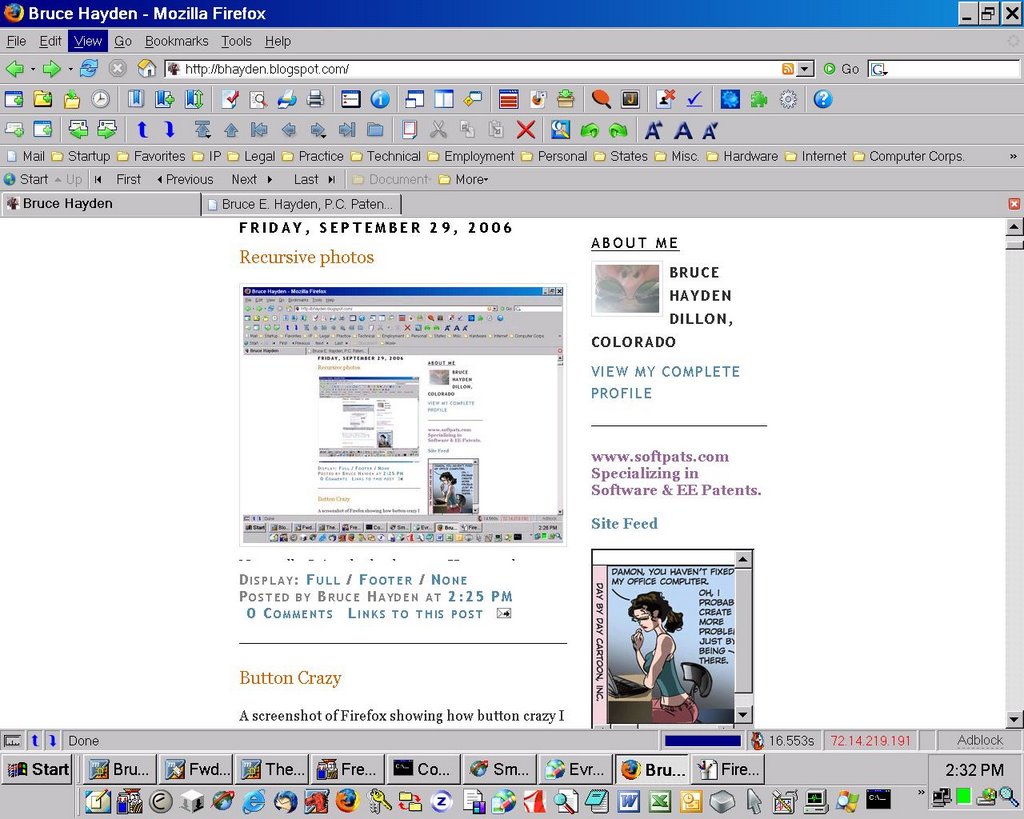
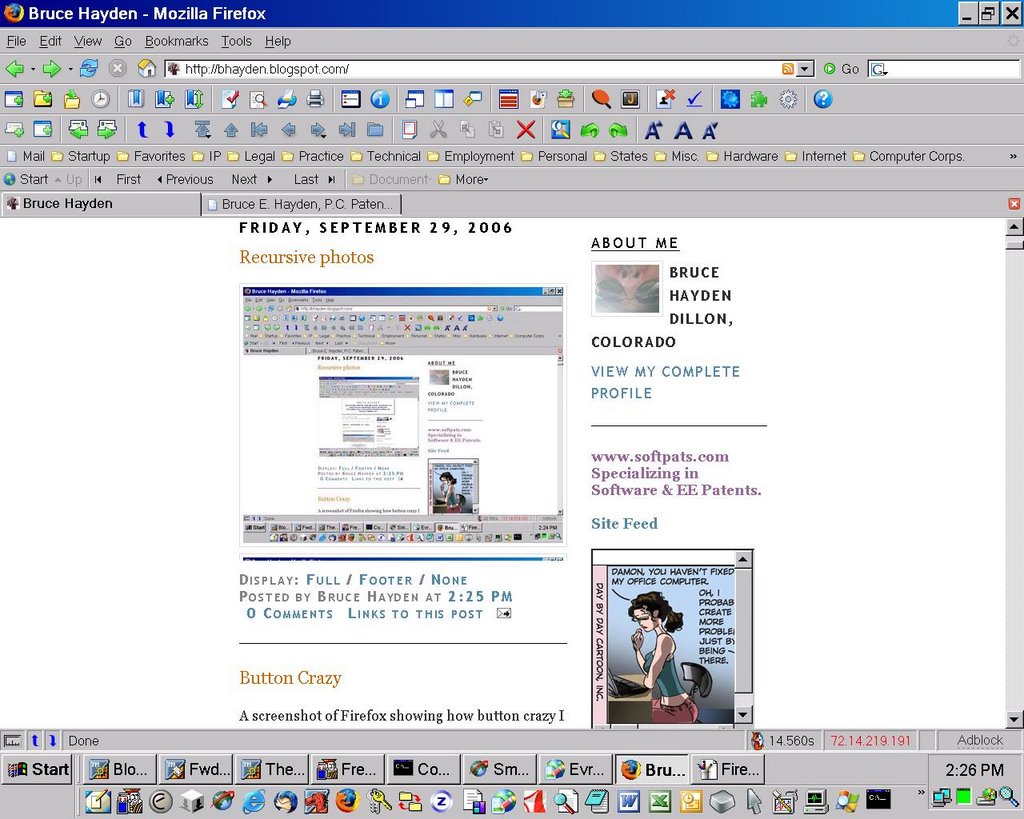
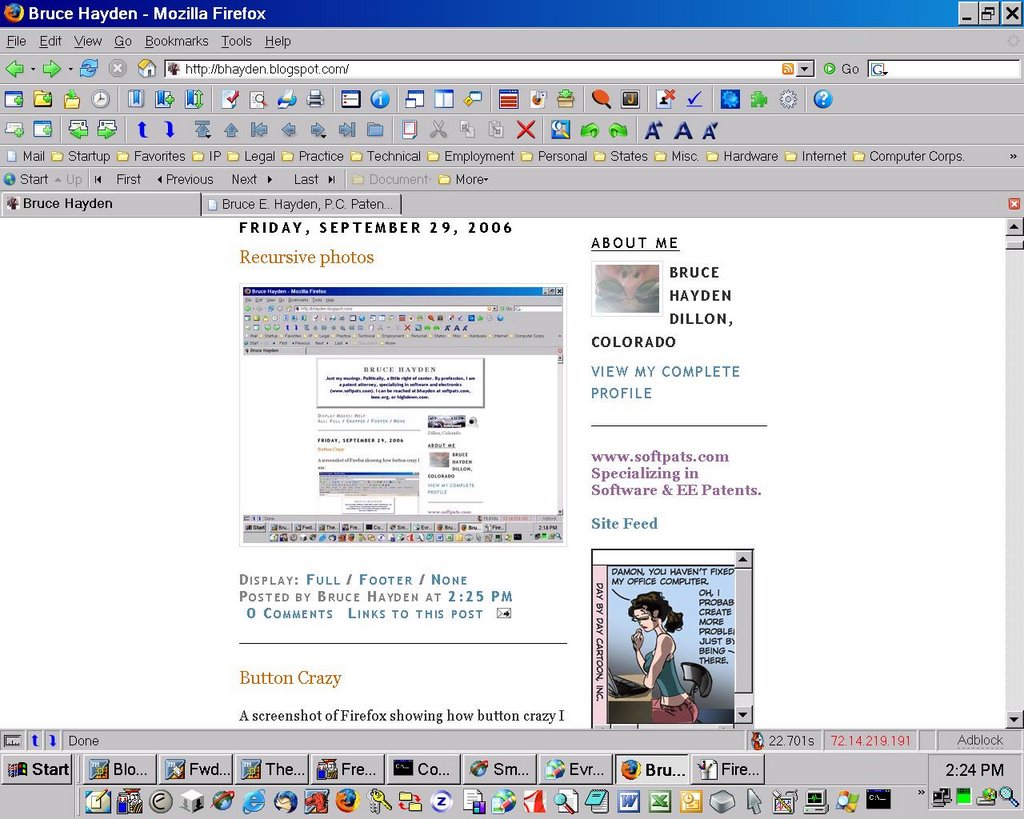
Not really. It just looks that way. Here are the screenshots in reverse order.


I didn't really need five photos to get this effect - three or four would have probably worked. Beyond that, you lose resolution. Part of my problem was that I didn't figure out how to do it right until about the third one.

The way I did it was to start with a screen shot - in this case, the one I used in my previous post. I then used Print Screen to copy it to the Clipboard, and then copied that into MSFT Paint. I saved it as a .jpeg file, and uploaded that into Blogger. I then refreshed the browser, and repeated. Once I got it set up, it only took a couple of minutes per cycle.

BTW, if you carefully at the Task Bar, you can see that I have active for this project:
  • Mozilla for the actual blogging;
  • Microsoft Paint for copying the screen shots to .jpeg files; and
  • Mozilla Firefox for displaying the blog for the screenshots.

Labels:

2:25 PM Display: Full / Chopped / Footer

Display: Full / Chopped / None

Display: Full / Footer / None

Display: Chopped / Footer / None

Look and Feel of blog (#4a) Look and Feel of blog (#4a)

I really do like my global display mode change function. Looking through my last month of blogs was much faster than it used to be by turning the global display mode to "None", eliminating all of the blog text. I could then scroll down through the post titles and very quickly find what I was looking for.

Labels:

1:58 PM Display: Full / Chopped / Footer

Display: Full / Chopped / None

Display: Full / Footer / None

Display: Chopped / Footer / None

Look and Feel of blog (#7) Look and Feel of blog (#7)

Another little tweak - I have added an icon or thumbnail on my blog. It appears on the tab for the blog in Firefox/ Mozilla. And it was easy.

I was turned on to this by "Favicon for your Blogger blog" in blogger-tricks.blogspot.com. I had stumbled into one of his blogs while trying to get Blogger to turn off posting Word Verification. And as a result, he sent me an email requesting that I vote on whether links opening new windows is good or bad (I think bad - but I use Mozilla and Firefox because I hate extra windows). And then I looked this his blogs to see what I could find that was interesting.

It is really quite easy to get an icon on the tab with your blog name. You just need to create an icon, upload it somewhere on the Internet, and add two lines of HTML in your blog header. And a lot of this is provided by MyFavatar. You upload a relatively square picture to their site, they then convert it to an icon, and then generate the HTML that you can insert.

The author has a lot of other little tricks, like swapping sides for text and sidebar. Indeed, it was in that post that I discovered that IE doesn't handle fixed column widths well when something in one of them exceeds the column width. The result in a blog is that IE pushes the sidebar down below all of the posts. This can apparently be solved by using percentages instead of fixed widths for columns.

Labels:

1:30 PM Display: Full / Chopped / Footer

Display: Full / Chopped / None

Display: Full / Footer / None

Display: Chopped / Footer / None

Thursday, September 28, 2006

HTML Editing - First Page HTML Editing - First Page

I am a programmer at heart, and most of the tools available for editing and debugging HTML and Javascript are aimed at people who don't want to really know what is going on. I am a programmer at heart, and I do want to know such. So, imagine my dismay in finding that the Mozilla Composer would automatically screw up the nice formatting that I had done to my HTML code, removing leading blanks (for indention, stupid), and inserting unsightly blank lines at what seems like random places. Most of the HTML tools are not much better.

A couple of years ago, I discovered 1st Page (2000) by Evrsoft. It was pretty crude, but gave me almost everything I wanted. On a typical day, I will use it a couple times, if for no other reason than to format blog posts and comments. It also provides a nice means of interactively debgging HTML and Javascript in "Preview" mode - though it uses the IE engine, and not Gecko. You can then have it submit your unsaved code to browsers of your choice for further testing. It also has a nice "Reference" mode that can be activated in a context sensitive manner. It provides a very thorough and easily accessed reference for HTML and CSS.

Awhile back, I tried installing 1st Page level 2.x. It was nice, but wasn't free, and didn't add that much. Imagine my pleasant surpise to find 1st Page 3.0, and that so far, at least, I haven't been asked to pay for it. Most of the older features are in it, but it has cleaned up the interface a bit. It now also provides a nice project interface. For heavy HTML editing, I will most likely primarily use it in the future, while using the level 1.0 version for light editing.

However, it does have a couple of places where it falls down:
  • It seems a lot bigger, taking significantly more time to load than the earlier version.

  • It still has the problem of losing button bar changes that the older version does.

  • I can't figure out how to activate the Java parser for editing Javascript. You used to be able to manually override the choice of a parser for a given file.

  • I am still struggling with making DIV and BLOCKQUOTE work correctly.

  • You can't mix "Hard Core" and "Expert" modes. In the older version, you could have both sets of buttons available, and sometimes the Hard Core pull down menus were extremely useful, in, for example, inserting blockquotes and divisions.
But it does have some nice new features:
  • Project mode (as mentioned above)

  • Integration with Mozilla - you can pick either IE or Mozilla OR BOTH for your previewing.

  • Many more useful buttons to put on the button bars.

Labels:

10:32 AM Display: Full / Chopped / Footer

Display: Full / Chopped / None

Display: Full / Footer / None

Display: Chopped / Footer / None

Tuesday, September 26, 2006

Look and Feel of blog (#6) IE Look and Feel of blog (#6) IE

Whoops. I forgot to check whether my new blog "look and feel" worked under Internet Explorer, and it didn't. The first problem is that IE 6 is not W3C Standards-Compliant, whereas the Gecko based browsers such as Mozilla and Firefox are a lot more so. This means that the "Chopped" mode didn't work in IE, at least until IE 7, since that is when Microsoft apparently supports the CSS max-height attribute. And that is how I implemented "Chopped" mode - by setting the max-height attribute.

Another problem cropped up - I couldn't change the display mode on a global basis in IE 6. The way I do this in a Gecko based browser is to use the getElementsByName function to acquire an array of DIVisions (<DIV>) that have a common NAME attribute. The problem is that I have also assigned a unique ID attribute for these DIVisions, and IE apparently first checks the ID attribute in its implementation of the getElementsByName function, and only if that is missing, does it check the NAME attribute. Earth to Microsoft: there is a reason the function is named: getElementsByName - there is another function named: getElementById. In other words, it is again out of standard, as these two attributes are not interchangable.

So, the way I got around that was to first try getElementsByName. And, then if that function returns an empty array, I create a new empty array and then get an array of all the DIVisions in the entire blog by using calling the getElementsByTagName. I then check each of these DIVisions, and if its NAME attribute is the one I am looking for (the one I used in getElementsByName), I push it onto the array of DIVisions with that NAME attribute (PostDivs). The result, with a bit more overhead and code, is identical. The resulting code is now (with IE kludge emphasized):
function SetGlobalDivs()
{
if(!PostDivs)
{
PostDivs = document.getElementsByName(PostGlobalDiv);
if(!PostDivs.length)
{//IE Kludge
PostDivs = new Array(0);
var divs = document.getElementsByTagName("DIV");
for (var i=0; i<divs.length; i++)
if (divs[i].name == PostGlobalDiv)
PostDivs.push(divs[i]);
}

}
return(PostDivs);
}
While playing with that, I found that IE 6 had another annoying feature. Blogger sets up its columns using pixal widths. The width of the this blog is 660px, the width of the blog entries is 410px, and the width of the sidebar is 220px. That works great in Gecko based browsers, but in IE 6, if a blog entry exceeds the 410px width (for example, a long URL or big picture), the sidebar is pushed down below the blog entries. Since this is apparently an IE problem with most Blogger templates, I haven't addressed it yet, but apparently it can be fixed by using percentages instead of pixals for the widths.

Labels:

11:53 PM Display: Full / Chopped / Footer

Display: Full / Chopped / None

Display: Full / Footer / None

Display: Chopped / Footer / None

Wednesday, September 20, 2006

Look and Feel of blog (#6) Look and Feel of blog (#6)

Another couple of tweaks to the look and feel of my Blog. First, and easiest, I added links to Dillon weather and Summit County (CO) webcams. Only problem was tweaking the size of the webcam icon so both would fit side by side.

The big change though is that I added Mozilla navigation to the blog. Mozilla browsers offer an additional "Site Navigation Bar" that can be enabled through the "View" menu:
It works by looking for HTML <LINK> elements in the document <HEAD> section that have a "REL" parameter matching the Site Navigation Bar buttons. The bar has the following buttons: Top; Up; First; Previous; Next; Last; Document; and More, and the "More" button has submenus that include: Help; Copyright; and "user defined". Each <LINK> element also has an HREF parameter, and if the HREF parameter points at an HTML link, Mozilla will jump there if that button is selected. Similarly, if the HREF parameter is Javascript, that script is executed when the corresponding button is clicked.

Using that mechanism plus some more Javascript, I implemented the following buttons (and subbuttons) for the Site Navigation Bar: Top; First; Previous; Next; Last; Help; Copyright; and Home. The Home and Help buttons were implemented via HTTP links to the appropriate documents. The remainder were implemented through Javascript functions.

The key elements required for this were already in place. First, I had put <DIV> elements around each post, giving each one a unique ID and a common NAME. And I was already utilizing the "getElementsByName" function to get a list of these post <DIV> elements. I optimized this by saving off the list, and only built it the first time I needed it (via function SetGlobalDivs()) (and moved this into my previously implemented code for global post mode changes). I thus was working with a static array of <DIV> elements (PostDivs), one per post, sorted as displayed.

First and Last were thus easy to implement. First jumps to PostDivs[0] and Last jumps to PostDivs[PostDivs.length-1] (note, Javascript uses zero based arrays). This is implemented as before (with more shared code now) by scrolling to the post <DIV> element's offsetTop attribute. Thus, a generic "goto post#" routine could be:
var post = PostDivs[post#];
self.scrollTo(0,post.offsetTop);
This works fine for First and Last buttons, but more is needed for Previous and Next buttons. In particular, these require situational awareness: where the user is in the Blog. This is accomplished by use of the "ONMOUSEOVER" parameter assigned to each post <DIV> element, which assigns the post <DIV> element's ID to a local variable: PostDivID. The resulting core code is thus this function:
function GoToDiv(index)
{
SetGlobalDivs();
if (index < 0)
    {
    self.scrollTo(0,0);
    PostDivID = "";
    }
else {
    var length = PostDivs.length;
    if (index >= length)
        index = length-1;
    var post = PostDivs[index];
    PostDivID = post.id;
    if (post.offsetTop>0)
        self.scrollTo(0,post.offsetTop);
    }
}
There is also a function (FindDivIndex) that translates a posts DIVision ID into its index into the PostDivs array. And, thus, Next could be implemented as:
GoToDiv(FindDivIndex(PostDivID)+1), etc.
After a bit of debugging, it all works great. Here is a picture of the blog showing the new elements:

Labels:

8:58 PM Display: Full / Chopped / Footer

Display: Full / Chopped / None

Display: Full / Footer / None

Display: Chopped / Footer / None

Thursday, September 14, 2006

Blogger (#6?) Blogger (#6?)

Weird. I tried to post the last post, and my system could not find Blogger on the Internet. So, I do what I always do, and reload Ann Althouse's blog, and, voila, it now knows where Blogger is, and I can post.

But at least I don't have to do the Word Verification stuff any more.

Labels:

11:51 AM Display: Full / Chopped / Footer

Display: Full / Chopped / None

Display: Full / Footer / None

Display: Chopped / Footer / None

Blogger Problems (#5) Solved!!! Blogger Problems (#5) Solved!!!

It looks like redoing my blog template, and removing those 2,000+ links to the help file / blog entry did the trick. After waiting for almost two weeks, within 24 hours of making the change, Word Verification has been removed from the blog.

Labels:

1:24 AM Display: Full / Chopped / Footer

Display: Full / Chopped / None

Display: Full / Footer / None

Display: Chopped / Footer / None

Tuesday, September 12, 2006

Blogger Problems (#4) Blogger Problems (#4)

Uh oh. Taking a shower is sometimes scary.

I have been trying for over a week now to figure out why Blogger classified this blog as a spam blog. Nothing was making sense. It most most likely connected to my new look and feel, where I use CSS and Javascript to open and close up visibility to posts. But that seemed a bit draconian, given that the default for the blog itself is "Chopped".

And then the light went off. The two features that I most recently added to my blog's look and feel were a global viewing mode switch and a link to a help file for help in handling the viewing modes. And since that later means a link to the help file for each blog post, whether active or archived, that would mean 531 (this is 532) links to that one post. That was bad enough, but then, I realized that I didn't have one link to that help file per blog entry, I had four of them, one per viewing mode. That translates into 531*4 = 2,124 links to that one post in the posts plus one more in the heading for global viewing mode changes, for a total (until this is posted) of 2,125 links to that one post.

No wonder it looked like spam to Blogger - over 2,000 links from this blog to my static/dummy blog.

The answer is obvious - pulling out the link to the help file from each of the blog entries. Should take about 5 minutes to clean up after lunch.

Labels: ,

1:37 PM Display: Full / Chopped / Footer

Display: Full / Chopped / None

Display: Full / Footer / None

Display: Chopped / Footer / None

Monday, September 11, 2006

Blogger Problems (#3) Blogger Problems (#3)

As noted before, Blogger has somehow determined that my blog here is a spamblog and has turned on Word Verification. One problem is that it doesn't work correctly with posting. I have yet to be able to post on the first try, with this "feature" enabled, no matter how hard I try. On my last post, I very carefully typed in the six characters displayed, and, no surprise, it failed. It took two more tries to get it to work - which seems to be a typical situation.

This is try#2: yhijgmgm

Labels:

4:19 PM Display: Full / Chopped / Footer

Display: Full / Chopped / None

Display: Full / Footer / None

Display: Chopped / Footer / None

Blogger Problems (#2) Blogger Problems (#2)

Blogger still hasn't answered any of my requests to turn off Word Verification on postings. I did send in another today, just to keep pushing.

Nevertheless, I think I may have figured out the problem - my new look and feel. It appears that Blogger has some weird algorithm for detecting when a blog is a spamblog, and part of that has to do with hiding text, etc. to get better ratings. Now, it turns out that I do hide text, though not for that reason, but rather, in my new "look and feel", where my different modes reveal different amounts of text, depending on what is selected. Wonder if that is what is going on? If so, they should either tell me, or turn WV off, as I am obviously not spamming anyone.

Labels:

1:01 PM Display: Full / Chopped / Footer

Display: Full / Chopped / None

Display: Full / Footer / None

Display: Chopped / Footer / None

Friday, September 08, 2006

Blogger problems Blogger problems

Blogger is somehow screwed up right now, and they don't seem to be doing anything to fix the problem.

Maybe a week ago, my blog here was identified as potentially spam. I haven't the foggiest what I did this time. Maybe my new look and feel triggered something. Last time this happened, I was posting an awful lot of stuff. That was when I was trying to post all of the articles and comments coming out on the Sony DRM Rootkit scandal last December. This time, I don't have the foggiest idea of what I did to trigger this.

Nevertheless, Blogger's response to thinking that you are blogging spam is to turn on Word Verification for posts to your own blog. That is inconvenient, but I have Word Verification turned on for my comments because they were getting spammed a month or so ago, and am in the habit of having to enter the often unreadable nonsense characters a couple of times before I get it right when posting over at Althouse.

Nevertheless, I have requested that Blogger remove Word Verification from my post three times now, to no avail. Last December, when this happened, it took maybe an hour. This time, it has been a week, without any response to those requests.

The problem is that Blogger has a feature called "Respond to this Article" that you can easily invoke. It works by opening a post that is linked to that article you want to comment upon. Very slick, and I use it a number of times a day. Indeed, a majority of my posts are of this type. Or at least were.

The problem with that is that it isn't tied into the Word Verification functionality that has been turned on with my normal posts. The result is that when I go to save or post my "Respond to this Article" posts, instead of the post being saved or posted, it is discarded, and I get a blank posting screen, so I can just do the same again. Invariably, I end up backing up (possible only because I have Mouse Gestures installed in Mozilla), and copying all the information from that posting template into a regular Blogger posting template, mastering Word Verification there, and saving or posting, as desired. In short, twice the work.

Needless to say, I have filed two trouble reports with Blogger about this, and have received one automated response with irrelevant suggestions for how to fix my problem. As suggested, I have responded to that with another rendidion of the problem.

This may be the result of a business plan that does not charge its customers. Customer service is almost non-existant here, with my only response over a week from three requests to remove Word Verification and two trouble reports being that automatically generated response with the wildly irrelevant suggestions.

Blogger, if you ever do read any of this - I would be willing to pay to get customer service.

Labels: ,

9:20 AM Display: Full / Chopped / Footer

Display: Full / Chopped / None

Display: Full / Footer / None

Display: Chopped / Footer / None

Wednesday, September 06, 2006

Look and Feel of blog (#5) Look and Feel of blog (#5)

I really do like my new Blogger functionality. Today I had a couple of times where I wanted to scroll back through my last week or two of postings, and I was able to efficiently do this by setting the display mode to "None", which only displayed the blog titles. Much quicker and easier than scrolling through even my "Chopped" posts, and it would have been really bad if I were using a vanilla Blogger template.

Of course, one of the side effects of my use of this new functionality is that my blog posts are longer now, knowing that they will usually be chopped at three inches. Also, I tend to put a little more of a hook into the first paragraph - not that anyone reads them, but still...

Labels:

1:09 AM Display: Full / Chopped / Footer

Display: Full / Chopped / None

Display: Full / Footer / None

Display: Chopped / Footer / None